Help & advice
Best home renovation planning tools in 2026
Last updated: June 25, 2026
Planning a renovation is not one job.
It is about layout, measurements, decisions, materials, quotes, products, trades, budgets, timings and a lot of small details that are very easy to miss.
That is why "renovation planning tool" can mean very different things.
Some tools help you collect ideas. Some help you make moodboards. Some help you create 3D visuals. Some help you manage budgets or product lists. Some are really built for modelling rather than planning.
And then there are tools like Reno, which are built specifically to help you plan a real renovation from idea to quote to build.
So before choosing a tool, ask yourself what part of the renovation are you actually trying to plan!
What a renovation planning tool needs to do
A good renovation planning tool should help you move from vague ideas to clear decisions that you can use to communicate quickly and easily with everyone involved.
For a home renovation, you will need to:
- Measure rooms
- Test layouts
- Plan furniture, fixtures and fittings
- Work out socket, switch and lighting positions
- Think about plumbing and heating
- Create moodboards
- Compare products and finishes
- Build a shopping list
- Share plans with trades or designers
- Create a brief
- Get clear quotes
- Keep track of your decisions
That is a lot more than drawing a room.
A floor plan is useful, but a renovation plan needs to help you understand what is changing, what needs deciding and what other people need to know before work starts.
For a more detailed comparison of floor plan and drawing tools, read Best floor plan creation software for UK renovations in 2026 and How to plan a home renovation from start to finish.
Quick comparison
Tool | Best for | Use it when | Limitation |
|---|---|---|---|
Reno | Full renovation planning ✨ | You need plans, elevations, specs, briefs, quotes and visual previews connected | Not a 3D modelling tool |
Inspiration | You are collecting ideas and styles | Does not turn ideas into decisions | |
Canva | Moodboards | You need a simple visual board | Not for accurate plans or build details |
Planner 5D | Room visualisation | You want to test furniture and 3D looks | Not built around renovation decisions |
HomeByMe | 3D home design | You want visual room concepts | Less useful for quotes, specs and site details |
SketchUp | 3D modelling | You want flexible modelling and are happy to learn it | More complex and not specific to home renovation |
Spreadsheets | Budgets and lists | You need to track costs or products | Easy to separate the list from the actual plan |
WhatsApp and notes | Early conversations | You are sharing quick ideas or photos | Too messy for managing decisions |
Reno
Reno is built for planning renovations, not just making rooms look nice on screen.
A renovation is full of connected decisions. Move a bath and you may affect plumbing. Add wall lights and you affect first fix electrics. Choose a wall-hung toilet and you need to think about frames, cisterns and wall depth. Change your tiles and you may affect trims, edges, layouts and quantities.
Reno is designed to help you bring those decisions together.
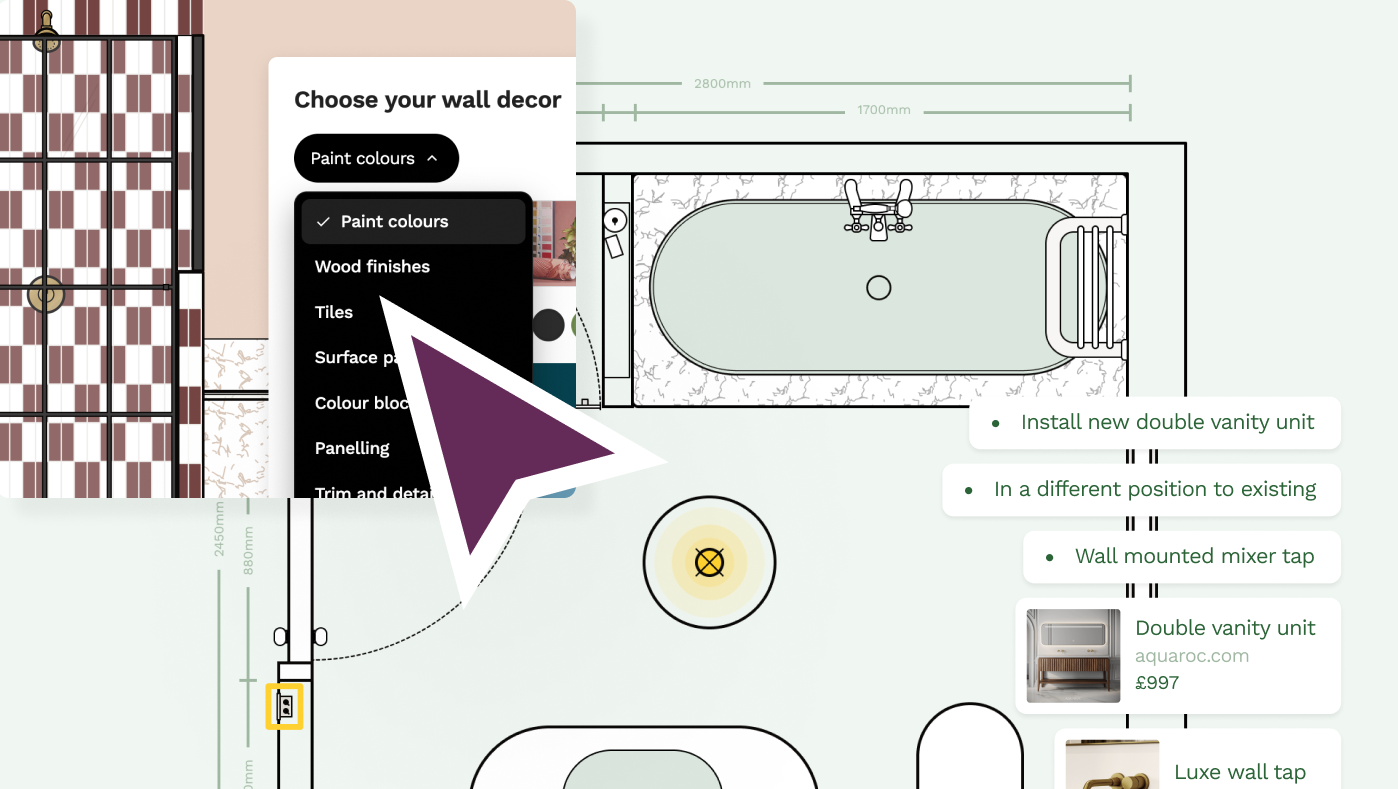
With Reno, you can:
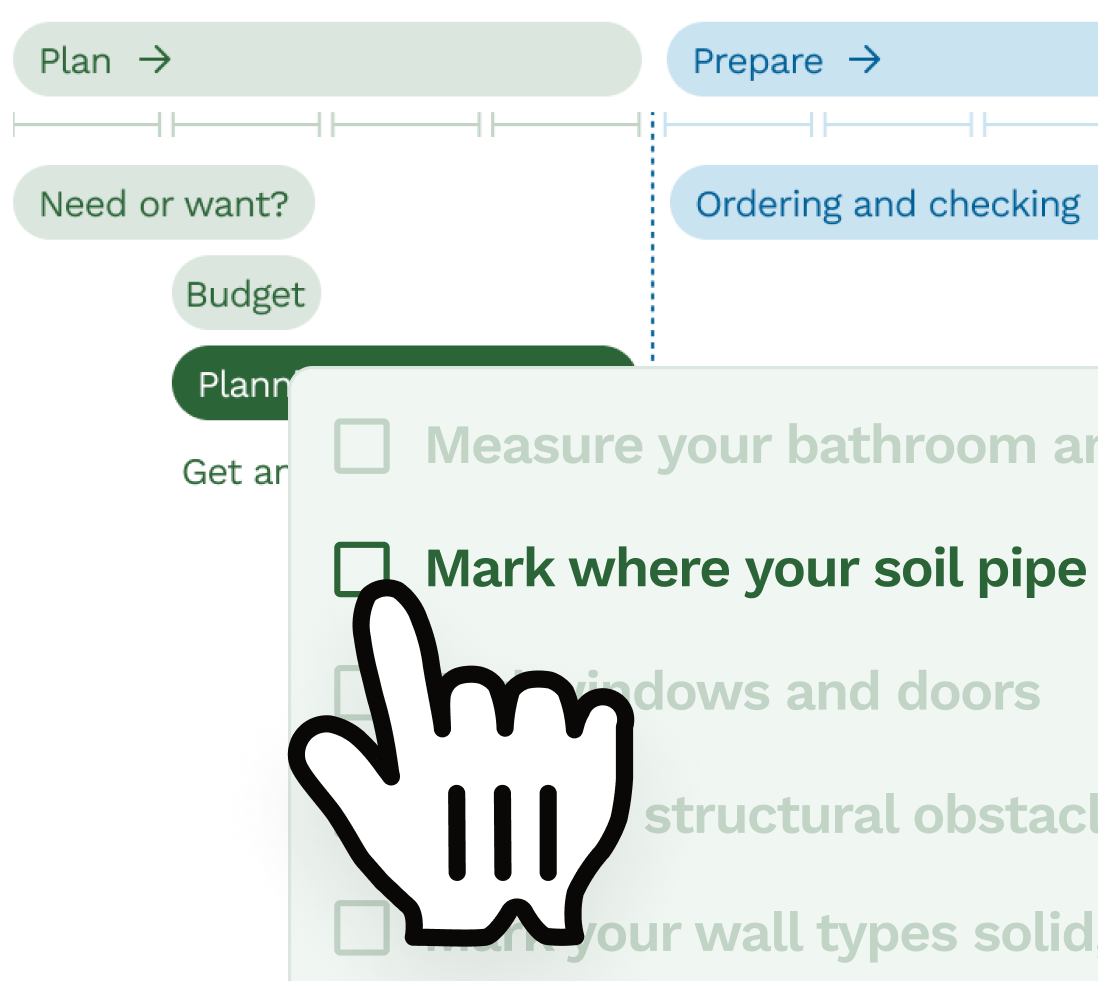
- Create millimetre-accurate 2D floor plans and wall elevations
- Add doors, windows, walls and structural features
- Plan furniture, fixtures, fittings and finishes
- Plan sockets, switches, lights, radiators, tiles and panels
- Plan the details that come with renovating e.g. tile layouts, grout width, paint plans, skirting boards and electrical layouts
- Add product links and specifications
- Create shopping lists and keep an eye on the total cost
- Build briefs to send and create quotes
- Share plans with trades, designers or customers
- Use AI to help visualise the end result
Reno is proudly 2D. That is deliberate. 2D planning keeps Reno simple to use across different devices and browsers, while giving you control over the details that matter during a renovation. We've all spent far too long trying to get a plug socket in the right place using a 3D planner or plan tiling for just part of that wall. We hear you!
For photo realistic visualisation, Reno includes AI Photo Preview. Rather than asking you to build a full 3D model, it helps give you a sense of depth, scale, layout, materials, textures and lighting from your plan.
Check out our gallery of examples including AI Photo Previews.

Reno is a strong fit if you are:
- A homeowner planning a renovation
- An interior designer working through layouts with clients
- A trade creating clearer briefs or quotes
- Someone who wants renovation decisions in one place
- Someone who does not want to learn CAD or 3D modelling software
It is less suited if your main goal is formal architectural drawings or full 3D modelling.
Pinterest is one of the most useful tools for collecting renovation ideas, but it can also make renovation planning harder. You can end up with hundreds of saved ideas and no actual decisions.
Pinterest is useful for:
- Finding inspiration
- Spotting styles you like
- Saving examples of finishes or layouts
- Sharing references with a designer or trade
It is less useful when it comes to what actually fits in your space, the work involved (e.g. in moving the plumbing), the order of work, creating a brief to get comparable quotes, checking dimensions or communicating technical details. Use Pinterest for ideas, then move those ideas into a proper plan.
Canva
Canva is useful for mood boards, early ideas and pulling references together.
It can help you collect:
- Colours
- Materials
- Furniture ideas
- Inspiration images
- Product screenshots
- Notes for a room
That can be helpful when you are still working out the look and feel of a project, but Canva is not a renovation planning tool. It does not help you work out whether the layout fits, where the sockets go, how the wall elevations work or what your builder needs to price.
Planner 5D
Planner 5D is useful if you want to create visual room concepts. It lets you draw room layouts, add furniture and experiment with how a space could look.
It is useful for:
- Trying furniture layouts
- Visualising style ideas
- Creating simple room concepts
- Playing with 2D and 3D views
Where it can be less useful is the practical renovation layer. A room can look good in 3D but still miss the things that matter when work starts, like socket positions, plumbing constraints, product specifications, quote details or what needs to be decided before first fix.
HomeByMe
HomeByMe is useful for creating visual room designs and exploring how a space might look.
It can help with:
- 2D layouts
- 3D room views
- Furniture placement
- Visual design ideas
Where it is less strong is the renovation planning layer. A 3D room design can help you understand the look and feel, but it may not help you make the practical decisions that matter on site, like socket locations, wall elevations, tile setting out, product specifications or what your builder needs to quote.
SketchUp
SketchUp is a powerful 3D modelling tool. It can be used for home renovation planning, but it is more of a modelling tool than a renovation planning tool.
SketchUp is useful if you:
- Want to create a 3D model
- Are comfortable learning design software
- Need flexibility for unusual shapes or designs
- Already have some experience with 3D tools
If you enjoy modelling, SketchUp can be brilliant. If you are just trying to plan where the shower, sockets, tiles, doors, furniture and radiators go, it may be more complicated than you need. For a direct comparison, read Is Reno an alternative to using SketchUp for your home design?
Spreadsheets
Spreadsheets are useful for budgets, product lists and cost tracking. They can be great for comparing prices and keeping a running list of decisions.
The problem is that a spreadsheet can easily drift away from the actual plan. A product list does not show where something goes, how it affects the layout, or what a trade needs to install.
WhatsApp and notes
WhatsApp, email threads and phone notes are often where renovation ideas start. They are useful for quick conversations, site photos and early back and forth.
But they are too messy to manage a real renovation plan. The more decisions you make, the more likely it is that something gets buried, contradicted or forgotten.
Which tool should you choose?
The answer depends on what you are trying to do.
If you want inspiration, Pinterest can help.
If you want a moodboard, Canva can help.
If you want to build a 3D model, SketchUp may be a good fit.
If you want to track costs, a spreadsheet is useful.
If you want to plan a real renovation clearly, connect decisions and share the result with trades, Reno is the stronger fit.
The important difference
A floor plan is useful, but a renovation plan needs to go further.
It needs to help you work out what fits, what changes, what needs to be decided, what needs to be shared and what could go wrong if it is missed.
That is the difference between drawing a space and planning a renovation.
FAQs
What is the best home renovation planning tool in 2026?
The best home renovation planning tool depends on what you need to plan. Reno is a strong choice for real renovation projects because it brings together 2D floor plans, wall elevations, products, specifications, briefs, quotes and AI Photo Preview in one place.
What is the difference between a floor planner and a renovation planning tool?
A floor planner helps you draw a room layout. A renovation planning tool goes further by helping you make connected decisions about fixtures, fittings, sockets, lighting, products, quotes, briefs and what needs to be shared with trades.
Do I need 3D software to plan a renovation?
No, you do not need 3D software to plan a renovation. Accurate 2D plans are often more useful for decisions like layout, measurements, socket positions, plumbing, wall elevations, tiles and products. 3D can help with visualisation, but it is not always the best planning tool.
Does Reno have 3D?
No. Reno is currently focused on 2D planning to keep things simple and accurate across devices and browsers. Reno also has AI Photo Preview, which helps show a sense of depth, scale, materials, texture and lighting without needing to build a full 3D model.
What is the easiest renovation planning app for homeowners?
The easiest renovation planning app is usually one that does not require CAD or 3D modelling experience. Reno is designed for homeowners, designers and trades who need practical renovation plans without a steep learning curve.
Can I use Pinterest or Canva to plan a renovation?
Pinterest and Canva are useful for inspiration, moodboards and early ideas, but they are not enough for detailed renovation planning. You still need a clear plan showing layout, measurements, products, fixtures, fittings and decisions for trades.
What should a renovation planning tool include?
A renovation planning tool should help with measurements, layouts, fixtures, fittings, wall elevations, sockets, lighting, product choices, briefs, quotes, shopping lists and sharing plans with the people doing the work.
Is SketchUp good for home renovation planning?
SketchUp can be good for home renovation planning if you want to create a 3D model and are happy to learn the software. For many homeowners, interior designers and trades it it just far too complex for what is needed if the main goal is to plan a renovation clearly and communicate decisions with trades.
Related articles
Product comparison
Best floor plan creation software for UK renovations in 2026
Comparing Reno, Floorplanner, Planner 5D, SketchUp, Rayon and Canva Whiteboards for real UK renovation planning.
Product comparison
Is Reno an alternative to using SketchUp for your home design
Lots of Reno users tried out SketchUp for their renovation project before coming to Reno, so we've compared the two to help you understand the difference.
All rooms
How to plan a home renovation project from start to finish
A start-to-finish renovation planning guide covering surveys, scaled plans, approvals, quotes, ordering, communication and snagging.
Product comparison
What to look for in home renovation planning software
Frequently asked questions about choosing renovation planning software, including 2D plans, wall elevations, quotes and ease of use.
Product comparison
Why we're building a renovation planning app in the UK
Why Reno is being built around the awkward details of UK renovations, clearer homeowner briefs and accurate 2D planning.
All rooms
Why an accurate floor plan matters so much in a renovation
Why accurate plans matter for quotes, layouts, wall details, first fix decisions and quantities before work starts.
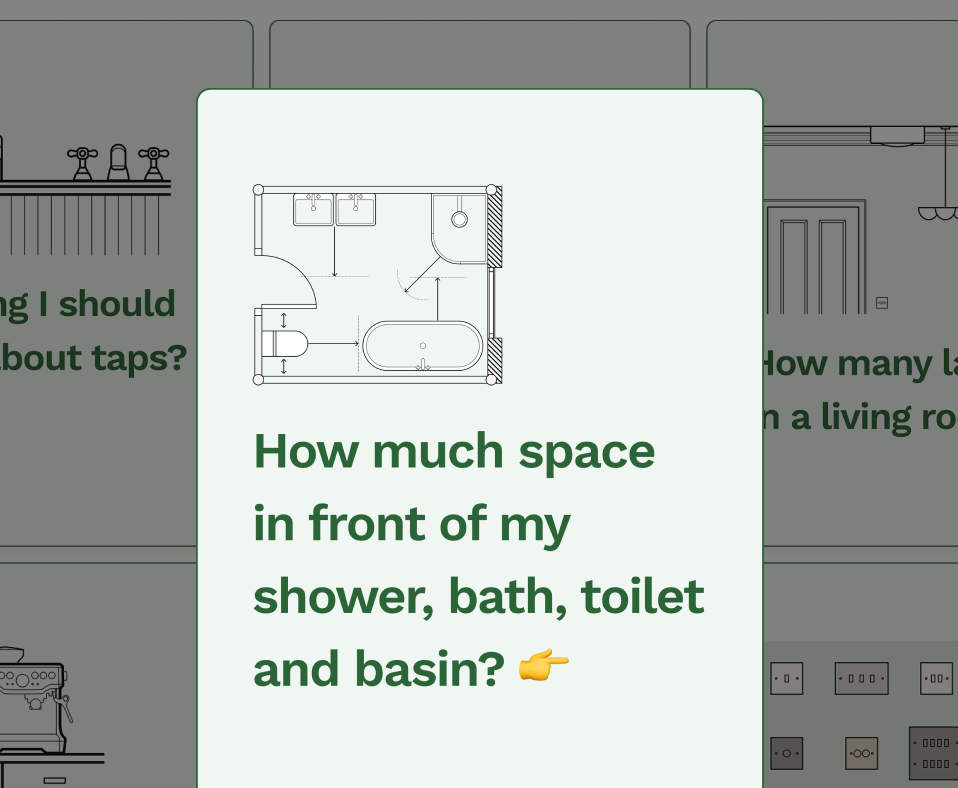
Free tools to get started

Join our mailing list and get 10% off
Who are you? *
By signing up, you are agreeing to our Terms and Privacy Policy including receiving emails from us at Reno (you can unsubscribe at any time). Opted out but want back in? Re-subscribe to the mailing list .
Start your renovation with Reno