Help & advice
How showrooms can get better leads with renovation planning software
Last updated: July 21, 2026

For kitchen, bathroom and joinery showrooms, the hard bit is not always getting people interested.
They are looking at tiles, taps, kitchens, worktops, vanities, flooring, handles, colours and finishes long before they walk into a showroom - the harder bit is knowing who is serious, what they are planning and when your team should step in.
A generic "get in touch" form on a website does't tell you much, and it's always going to be really difficult to understand (and explain) a room you can't see over social media DMs and emails.
A walk-in is great, but by that point they'll have already looked at three other suppliers, saved 47 screenshots and formed a half-plan in their head.
Renovation planning software gives showrooms a different way in. Instead of waiting for someone to ask for help, give them something genuinely useful while they are still planning. They measure their space, test a layout, add products, build a moodboard and save a plan. When they are ready to talk, your team's not starting from scratch.
What a better lead actually looks like
A lead isn't just an email address. Not if your team needs to sell something that depends on space, fit, layout and budget.
For a bathroom, bedroom or kitchen showroom, a better lead might include:
- Room dimensions
- Photos or notes
- A floor plan
- Wall elevations
- Preferred products
- Style direction
- Budget range
- Project timing
- What the customer is unsure about
- Whether they want supply only or installation too
That is the difference between "Hi, I'm interested in a bathroom" and a lead that arrives with a room, a layout, a direction and specific questions attached.
Why walk-ins and contact forms are not enough
Walk-ins, phone calls and contact forms rely on the customer deciding they are ready to speak to you. The problem with that is that many of the key renovation decisions happen earlier than that.
People are already asking:
- Will this kitchen fit?
- Can I move the toilet?
- What size vanity can I get?
- How much tile do I need?
- What finishes go together?
- What might this cost?
- Is this worth coming into a showroom for?
If your website only says "book a consultation", you are missing the people who are not ready for that yet. Homeowners looking for a free tool to plan with on the other hand, can be captured as a lead before they've even really heard of you.
Where planning software fits
Planning software works best in the messy middle. Not right at the top, where someone is vaguely looking (Pinterest / Instagram) or exploring (ChatGPT design me a new bathroom), and not right at the end, where they are ready to buy.
It works when someone is thinking, "I like this, but will it work in my home?" A planning tool lets the customer answer some of those questions in context by putting their own room, dimensions and choices into the process.
More leads are useful. Better leads are more useful. A customer who has built a plan has usually done more than browse a gallery. They have thought about the room, made choices and shown intent. That gives your team a much better starting point for a practical conversation.
Example: Dale Bathrooms
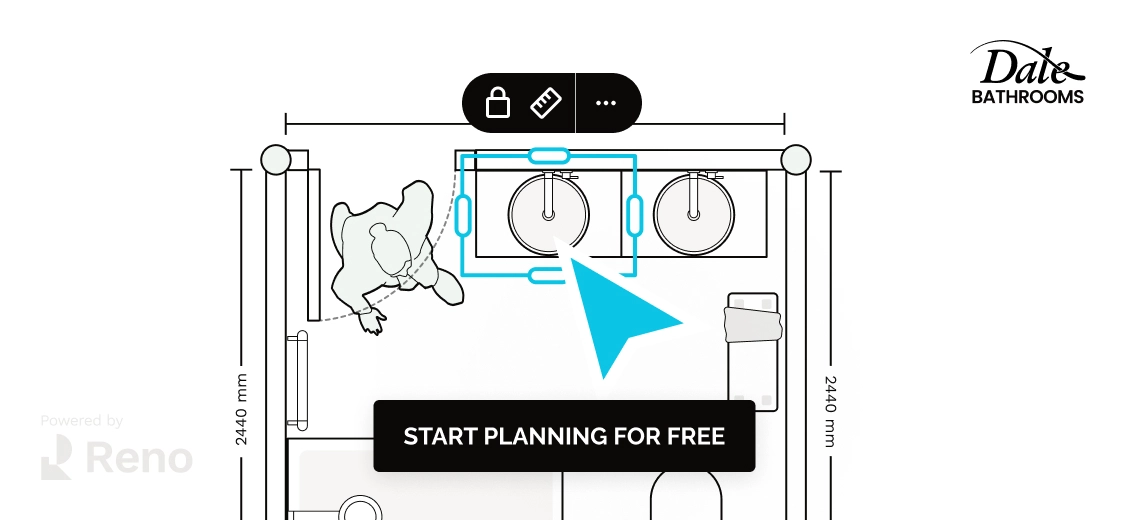
Dale Bathrooms, the UK's largest bathroom showroom, added a branded planning tool to its website in December 2024. In the first two months, Dale Bathrooms saw a 21.6x increase in qualified leads. Not just more forms. More people actively planning a bathroom and giving the sales team something useful to work from.
Example: Rehome
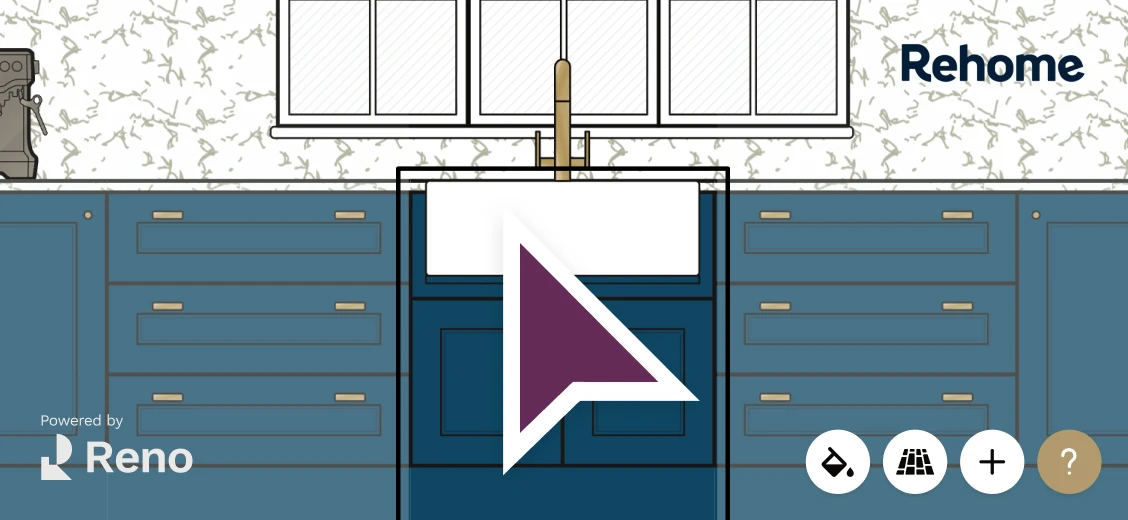
Rehome sells ex-display kitchens, which creates a very specific customer question: will this fit my space? In September 2025, Rehome added a white-label planning tool that let customers test their room dimensions against the units from a listing. That led to more confident buyers, increased ex-display kitchen sales and fewer basic fit-check enquiries.
Why this works especially well for renovation products
Renovation purchases are rarely simple. A bathroom suite, kitchen, utility room or fitted furniture project needs more context. It depends on:
- The room size
- The layout
- Plumbing
- Electrics
- Doors and windows
- Clearances
- Wall details
- Finishes
- Installation requirements
- What the customer is keeping
- What they are changing
That is why planning software can do more than a normal ecommerce feature for KBB businesses. It helps the customer understand whether the product makes sense in their space, and it helps the showroom understand what the customer is actually trying to do.
Practical ways showrooms can use a planner
1. Add a branded planner to your website
Let customers start a plan directly from your website. When they save or submit the plan, your team receives more than a contact form. They receive a starting brief.
2. Use it as a showroom consultation tool
A designer or sales consultant can create a quick plan with the customer in the showroom. That makes the consultation more visual and more grounded in what might actually work.
3. Offer a design starter
Ask customers to submit their room dimensions and project details online, then send back a basic plan, moodboard or recommended next step.
4. Link products to the plan
If a customer adds a basin, vanity, tap, tile or cabinet to their plan, that tells you what they like and what they are considering. It gives your team a much better reason to follow up.
5. Use plans to reduce repeated questions
A planning tool can help customers answer some early questions before they need to speak to you. That does not replace your team. It gives your team better conversations.

What showrooms should look for
If you are choosing renovation planning software for a showroom, look for:
- White-label branding
- Website embedding
- Floor plans
- Wall elevations
- Moodboards
- Product selection
- Realistic dimensions
- Saved plans
- Customer contact capture
- Quote or estimate workflows
- CRM or follow-up integration
- Easy sharing
- Installer-friendly specs
The tool should not feel like sending customers away to someone else's platform. It should feel like part of your showroom experience.
How Reno supports showroom lead generation
Reno is a web-based renovation planning platform used by homeowners, designers, trades and retailers. For showrooms, Reno can provide a branded, white-label planner that sits inside your own website and customer journey.
No separate app. No awkward hand-off. No customer disappearing into a generic third-party floor planner.
Reno helps customers move through three connected stages: design, sell and install.
That means a lead captured through Reno is not just a name and email address. It can arrive with the project attached:
- Dimensions
- Layout
- Product choices
- Style preferences
- Room details
- Notes
- Quote requirements
For a showroom team, that changes the first conversation. Instead of starting with "tell us what you are thinking", you can start with "we've looked at your plan, here's what we'd suggest."
Better planning makes better showroom conversations
A KBB showroom website should not only show what you sell. It should help customers move from interest to action. Renovation planning software does that by giving people a useful first step, and for the showroom that means fewer cold enquiries and more useful conversations.
FAQs
How does renovation planning software help showrooms get leads?
It gives customers a useful way to start their project online. When they save or submit a plan, the showroom captures a lead with room dimensions, layout choices, product interests and project details already attached.
Why is a planning tool better than a normal contact form?
A contact form usually gives you a name, email and short message. A planning tool can also give you a visual brief, including the customer's room, layout, products, finishes and preferences.
Can planning software work for kitchen and bathroom showrooms?
Yes. Kitchen and bathroom purchases depend heavily on layout, dimensions, plumbing, electrics, clearances, finishes and fit. A planning tool helps customers understand what might work in their space before they speak to the showroom.
What is a qualified lead for a showroom?
It is someone who has shown real project intent. For example, they may have created a room plan, added products, saved a moodboard, requested a quote or booked a consultation.
Can a planning tool be used in the showroom as well as online?
Yes. Customers can use the planner on a showroom website before visiting, and staff can also use the same tool during consultations. This keeps the online and in-store experience connected.
How does Reno work for showrooms?
Reno can provide a branded, white-label renovation planner that sits inside a showroom's own website. Customers can create plans, add products, build moodboards and submit their project details, giving the showroom a more useful lead to follow up.
Related articles
Product comparison
What to look for in home renovation planning software
Frequently asked questions about choosing renovation planning software, including 2D plans, wall elevations, quotes and ease of use.
Product comparison
Best home renovation planning tools in 2026
A practical comparison of renovation planning tools, from Reno and SketchUp to Pinterest, Canva, spreadsheets and WhatsApp.
Product comparison
Best floor plan creation software for UK renovations in 2026
Comparing Reno, Floorplanner, Planner 5D, SketchUp, Rayon and Canva Whiteboards for real UK renovation planning.
Product comparison
Best trade quoting software for renovation jobs in 2026
A practical comparison of quoting options for renovation jobs, from Reno and trade admin tools to accounting software, spreadsheets and WhatsApp.
Free tools to get started
Join our mailing list and get 10% off
Who are you? *
By signing up, you are agreeing to our Terms and Privacy Policy including receiving emails from us at Reno (you can unsubscribe at any time). Opted out but want back in? Re-subscribe to the mailing list .
Start your renovation with Reno